The SignPresenter App on Your TV
Once paired, the SignPresenter app on your Fire Stick or Android device runs unattended — no remote needed. But there are a few things the remote can do that are useful to know about, plus a couple of states the app cycles through that are worth understanding.
App states
The app is always in one of three states:
Pair screen
What you see when the app first launches and isn't paired to an account yet. A 4-digit code appears on the TV — enter it in Step 3: Screens → Pair TV in your SignPresenter account.
The app polls the server every few seconds while waiting for pairing, so as soon as you submit the code in your account dashboard, the TV moves to the next state automatically. Full pairing flow in Initial Setup → Step 3.
Run Schedule (digital signage)
What you see when the screen is set to Digital Signage mode (the default). Messages cycle through the playlist according to the schedule. No interaction needed.
Manual Playlist (slideshow)
What you see when the screen is set to Slideshow or Both mode. Slides advance only when you press the remote. Use this for in-person presentations or anywhere a person wants to drive the pace.
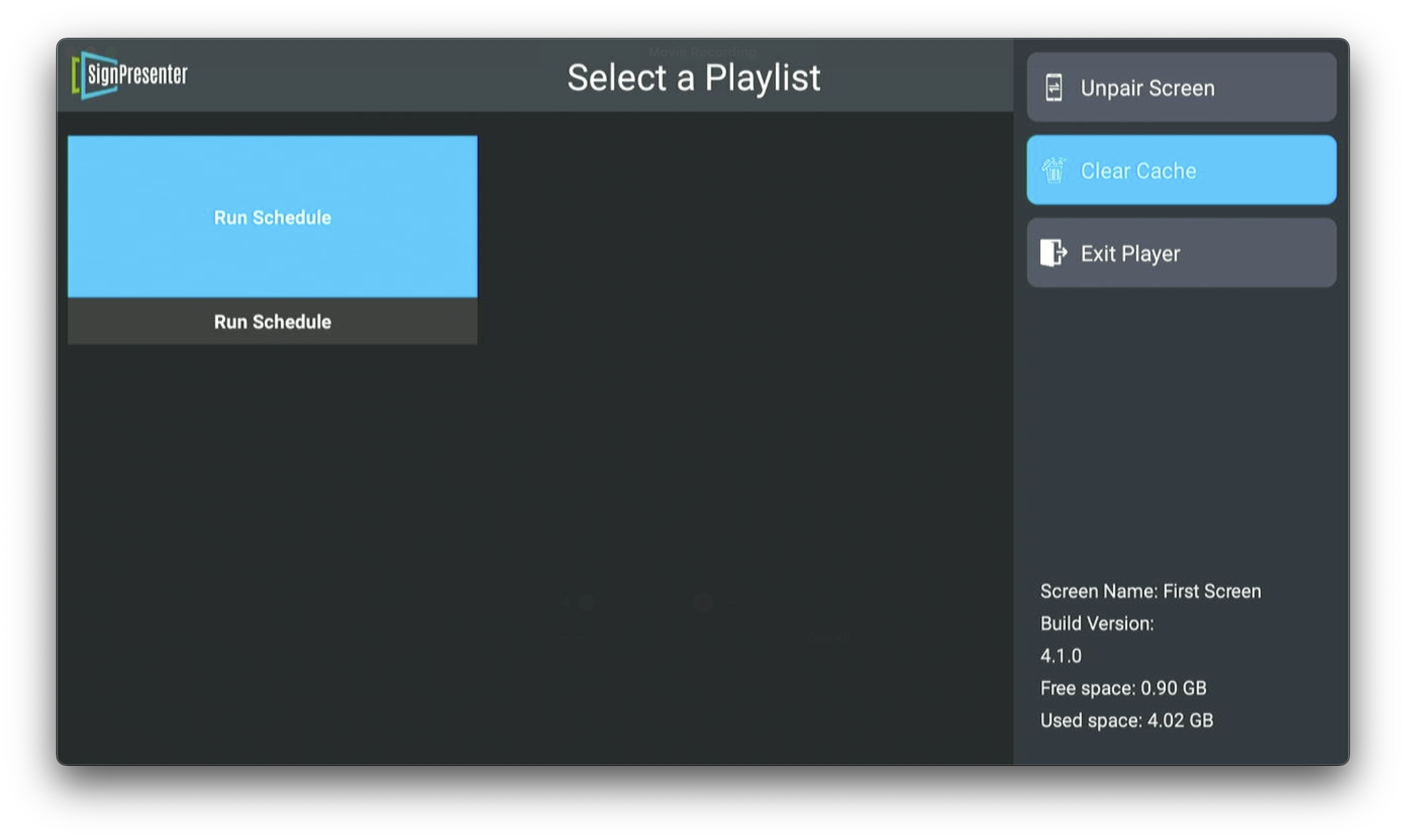
To switch between Run Schedule and Manual Playlist on a Both-mode screen, press the Back button on the remote to open the app menu, then select Run Schedule or the playlist you want.
Remote control basics
| Button | What it does |
|---|---|
| Home | Exits SignPresenter to the Fire Stick / Android home screen |
| Back | Opens the app menu — playlist selection, Unpair Screen, Clear Cache, Exit Player |
| Left / Right | On Manual Playlist, navigates between slides |
| Up | On Manual Playlist, shows all slides at once for quick selection |
| OK / Center | Selects a slide or confirms an action |
Switching modes mid-flight
Change a screen's mode in your dashboard (Step 3: Screens → Mode), and the TV picks up the change on the next cache refresh — usually within a minute. You don't need to restart the app.
If you want the change to take effect immediately, press Home on the remote and reopen SignPresenter.
What about the menu?
Press the Back button while the app is running to open the app menu. From here you can pick a playlist (or Run Schedule), and the right-hand menu gives you Unpair Screen, Clear Cache, and Exit Player. The bottom corner shows device-level info — screen name, app version, and free/used storage space.
Don't clear the cache unless you're troubleshooting; doing so forces the TV to re-download every message.