Billing & Payment
SignPresenter is $10/month per screen, with a 30-day free trial and no contracts. Add screens as you need them, cancel any time. This section covers everything billing-related.
Only account owners can change billing or manage subscriptions. Other users won't see this section in their account.
What's included
For $10 per screen per month you get:
- Unlimited messages, playlists, schedules
- Unlimited departments
- Unlimited users
- Cloud storage for your media
- Free 30-day trial (no credit card required)
There are no per-screen feature gates — every plan unlocks every feature.
In this section
- Updating Billing Info — change your payment method
Managing screens (and your bill)
You're billed per active screen. Add or remove screens any time in Step 3: Screens — the next month's bill adjusts automatically.
To cancel completely: Settings → Billing → Cancel All Subscriptions.
Invoices
Log in to SignPresenter, click your name in the top right, go to Settings → Billing, choose the month, and click Print to save as PDF.
Get receipts emailed automatically
Don't want to log in every month? You can have SignPresenter email your payment receipt automatically each time you're billed.
- Click your name in the top-right corner and go to Settings.
- On the Settings page, scroll down to the Preferences section.
- Check Send payment receipts via email and save your settings.
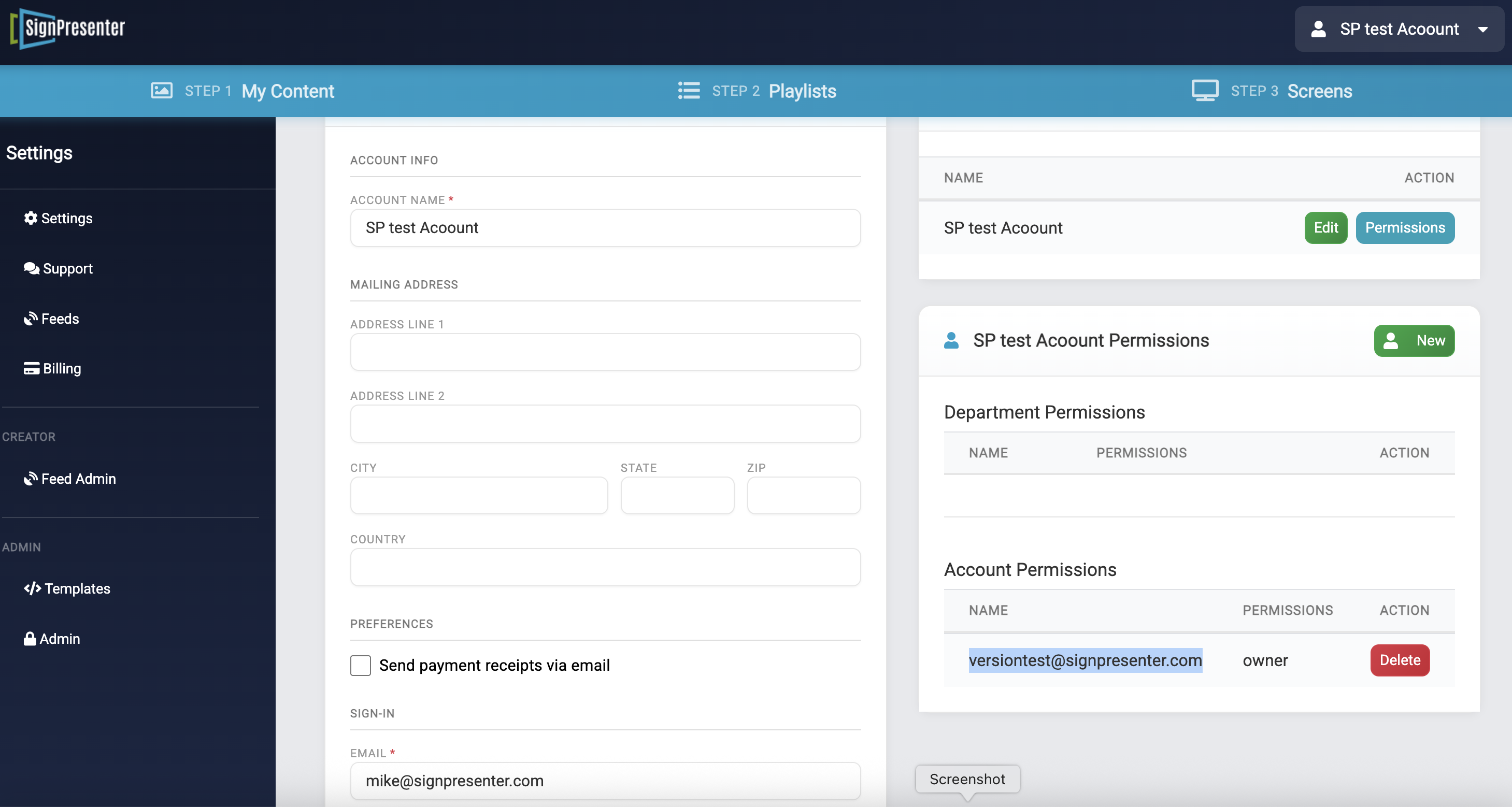
Receipts are sent to the account's sign-in email address (shown in the Email field on the same page). You can still download a full invoice any time from Settings → Billing using the steps above.
Related
- FAQ — common pricing and billing questions
- Subscribing to Feeds — feed subscriptions appear on the same bill