Compatible Devices
SignPresenter runs on Fire TV devices and Android-based streaming boxes. Most modern hardware is supported, but a couple of specific models do not work — read this before you buy.
SignPresenter is compatible with:
- Amazon Fire TV Sticks running Fire OS (Android-based)
- Most Android devices running Android 10.0 or newer
- Fire TVs with built-in Fire OS
Amazon is currently out of stock of the Fire TV Sticks that work with SignPresenter, and the newest Fire Stick models run Vega OS, which isn't supported yet — we're working on a new app for the new Fire Sticks now. In the meantime, the best options are the Fire TV Stick HD at Best Buy or the $29.98 onn. Full HD Streaming Device from Walmart.
🔥 Recommended Fire TV Sticks
Best for digital signage — Fire TV Stick HD
- Out of stock on Amazon — buy it at Best Buy
- Most affordable Fire Stick that works with SignPresenter
- 8 GB storage, 1080p HD streaming
- Includes TV power and volume controls
- Auto-reboots after power loss — ideal for 24/7 signage
- Runs Fire OS (Android-based)
Best 4K option — Fire TV Stick 4K
- 4K Ultra HD with Dolby Vision and HDR10+
- Wi-Fi 6 support
- 8 GB storage
- Runs Fire OS
Fire OS 8 (on the 4K models) disables auto-reboot. After a power loss, the app needs to be relaunched manually unless you keep the device on a UPS.
Best performance — Fire TV Stick 4K Max
- High-resolution support
- Wi-Fi 6E, 16 GB storage, faster processor
- Same Fire OS 8 caveat as the 4K Stick (manual relaunch after power loss)
⚠️ Important: Fire TV Stick 4K Select is NOT compatible
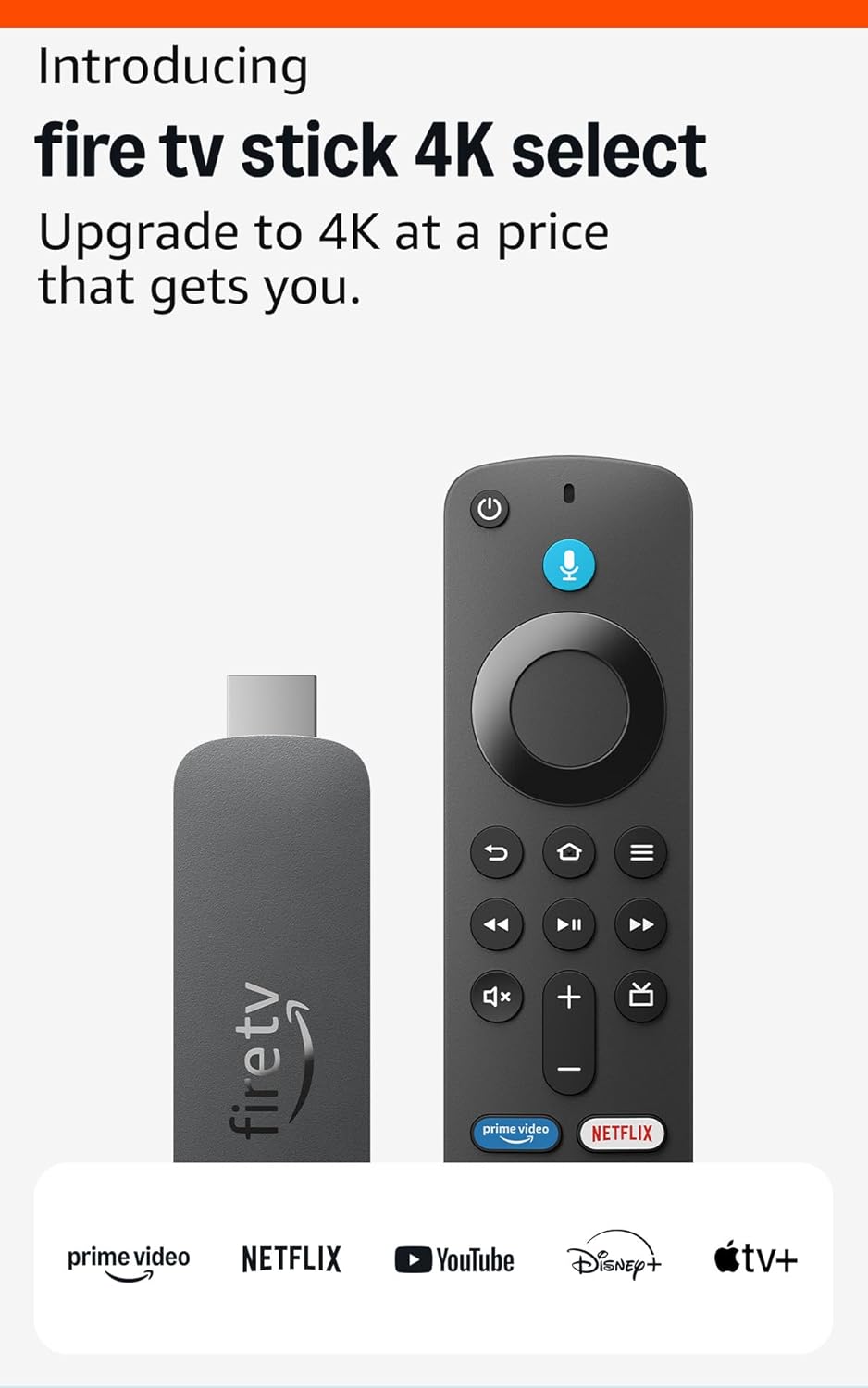
Do not purchase the Fire TV Stick 4K Select. This device runs Amazon's new Vega OS (Linux-based) instead of Fire OS (Android-based). SignPresenter will not work on Vega OS devices.
🖥️ TVs with built-in Fire TV
TVs with built-in Fire OS work great for 24/7 digital signage. Examples:
- Amazon Fire TV 43" 4-Series 4K UHD
- Insignia 50" Class F30 4K UHD
- Amazon Fire TV 65" Omni Series 4K UHD
- Amazon Fire TV 32" 2-Series 720p HD
- TOSHIBA 50" Class C350 Series
- Insignia 50-inch Class F50 Series
🤖 Android devices
SignPresenter supports Android devices running Android 10.0 or newer. Download from Google Play.
Tested low-cost Android devices
- $29.98 onn. Full HD Streaming Device, Google TV — fast streaming, 8 GB storage, 1.5 GB RAM
- $49.99 onn. 4K Plus Streaming Device, Google TV — ultra-fast streaming, stunning 4K UHD, 16 GB storage, 2 GB RAM
✅ How to confirm compatibility
If you can find SignPresenter in your device's app store, it will work.
Related
- Initial Setup Walkthrough
- Older Fire Sticks — known issues with legacy hardware
- "Still Watching?" pop-up — disabling Fire OS inactivity timeouts